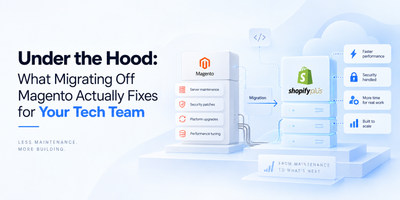
If you've been on Magento for a while, you already know the feeling. Something needs changing: the developer isn't free, costs keep climbing, and half your week disappears into platform upkeep instead of actually running the business. That slow frustration is what pushes most store owners toward migrating from Magento to Shopify, and honestly, it makes complete sense.
But switching platforms isn't something you want to rush. Done carelessly, it means lost data, broken pages, and SEO rankings that take months to recover. Done properly, it's one of the smartest moves your store can make.
Why Magento vs Shopify Even Becomes a Conversation
Businesses often come across a point where they have to decide - Shopify or Magento? Which platform will best serve their business?
Magento is a powerful and flexible platform, but the problem is everything that comes with it - hosting, security patches, server management, and developer dependency. A mid-sized Magento store can quietly spend between $50,000 and $150,000 a year just keeping things running, before spending a single dollar on growth.
Shopify handles all that in the background. Your team can update products, run promotions, and manage the store without having to raise a ticket every time. That's the real reason replatforming from Magento to Shopify has become so common, and why it's worth doing properly.
Step 1: Plan First: Build Your Magento to Shopify Migration Checklist
Nobody regrets spending extra time on planning. They only regret skipping it.
Before you touch anything in Shopify, go back into your Magento store and get a real picture of what you're working with. List your products, collections, customer groups, pricing rules, and every integration currently connected to your store. Then be honest about what actually needs to come with you. Dormant customer accounts, discontinued products, expired promo codes- leave them behind. You're rebuilding on better foundations, not copying a mess across.
Once you know what you're migrating, set up Shopify in password-protected mode and pick your plan. Basic ($39/month) works for straightforward stores. Advanced ($399/month) suits more complex operations. Shopify Plus (from around $2,300/month) is for high-volume merchants who need serious automation and checkout customization.
Get clear on the Magento to Shopify migration cost early, too. A professionally handled migration for a mid-sized store typically runs between $5,000 and $30,000. DIY migration tools cost far less, but your time investment is real. Know what you're signing up for before you begin.
Step 2: Back Up Everything, Then Export Your Data
Back up before anything moves. Go to System > Tools > Backups in your Magento admin and run a full backup. Save your database, media files, and custom scripts separately. If something breaks mid-migration, that backup is how you restore without losing a thing.
Once that's done, export your data as CSV files. Products, customers, orders, categories, and page content all come out of Magento this way. Clean your data before exporting; if messy data goes out, messy data will come in.
Worth knowing upfront: Shopify's native importer handles products well but won't touch order history. For that, you'll need a tool like Matrixify. Customer passwords also can't transfer across due to encryption differences, so have a password reset email ready for returning customers before launch.
Step 3: How to Migrate Magento to Shopify, Step by Step
This is where the actual migration happens, and patience matters more than speed here.
Smaller stores with fewer than 1,000 products can usually manage with formatted CSV imports. Larger catalogs are better handled with tools like Matrixify or LitExtension, which automate field mapping and generate URL redirects from your old structure to the new one.
After the import, rebuild your category structure as Shopify collections and manually reconstruct your navigation menus; these won't come across on their own. Pricing rules and active discount codes also need to be recreated by hand in Shopify's Discounts section.
The import finishing doesn't mean the work is done. That QA phase after the import is where the real issues surface. Teams like Seventh Triangle, who work on Shopify builds constantly, make this point clearly: every product variant, inventory count, and image needs a proper check before you go anywhere near launch.
Step 4: Magento to Shopify SEO Migration Needs Its Own Plan
This is the most skipped part of the process and the most damaging when ignored.
Your URLs are changing. Search engines have spent months indexing your old Magento ones. If those pages just vanish with no forwarding, your rankings go with them.
Build a URL mapping document that matches every old page to its new Shopify equivalent, then set up 301 redirects before launch day. Your metadata - title tags, descriptions, image alt text- needs manual attention too; none of it transfers automatically.
The moment the store goes live, verify your domain in Google Search Console and submit a fresh sitemap. Some fluctuation in rankings in the first few months is normal. A strong SEO-for-Shopify strategy post-migration determines how fast you recover.
Step 5: Test Everything Before You Go Live
Go through the full checkout yourself, on both phone and desktop. Go through the process like a real customer, place a test order and make sure payments go through smoothly, shipping rates appear correctly, and taxes are calculated as expected.
Also, check a few of your old URLs to ensure they redirect to the right pages, and take a moment to confirm that all product images load properly.
Click through every menu. Look for broken links in product descriptions and blog content.
When you're ready to launch, pick a quiet window, late on a weeknight or a slow Sunday morning. You want space to catch anything unexpected before your full customer base arrives at the new store.
Starting Line, Not Finish Line
A clean Magento to Shopify migration lands you on a platform that works with you, not against you. Watch your analytics and Search Console closely after launch, keep an eye out for crawl errors or checkout friction, and treat go-live as the beginning of the next chapter rather than the end of the project.
The stores that get the most out of this move are the ones that stay attentive after launch, not just before it.